Washer Won’t Unlock? Bosch, Samsung, LG & Whirlpool Fixes
Washer won’t unlock? Don’t force the door handle. Water left in the drum, an unfinished cycle or a door-lock fault can keep it closed. Follow the Bosch, Samsung, LG or Whirlpool section below to check the cause and find the steps that apply to your model.
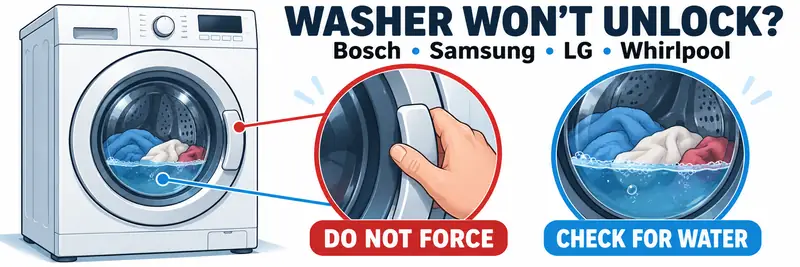
Washer Won’t Unlock? Checks Before You Start
If your washer won’t unlock, it may be waiting for the drum to stop, the water to drain or the temperature to fall.
Check these points before choosing your brand:
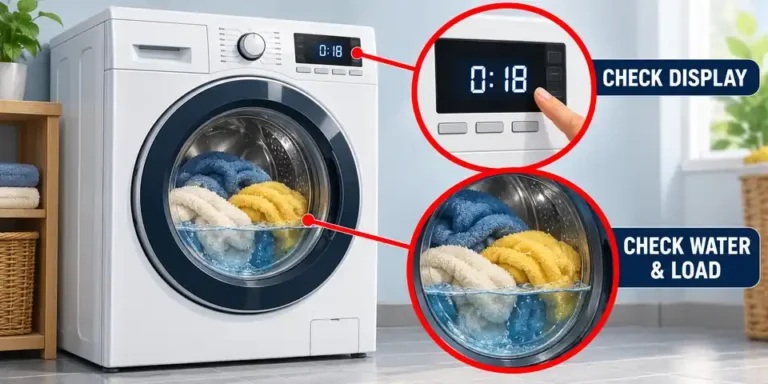
- Has the cycle finished? Allow the end-of-cycle delay to pass and watch the door-lock indicator. Its appearance varies by model.
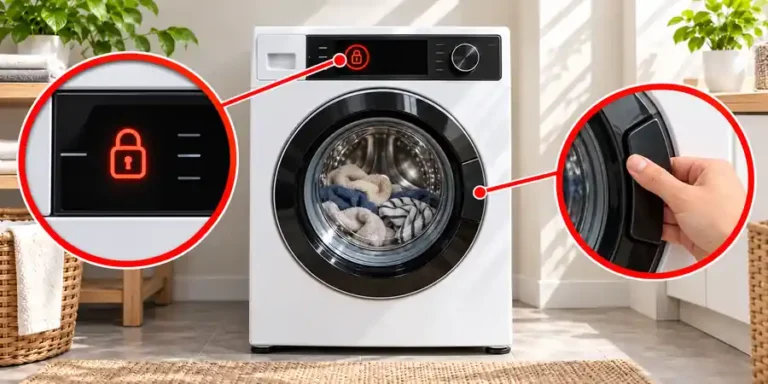
- Are the buttons locked? Child lock or control lock can prevent you from cancelling a programme. A locked control panel and a locked door are different problems, although some models link them.
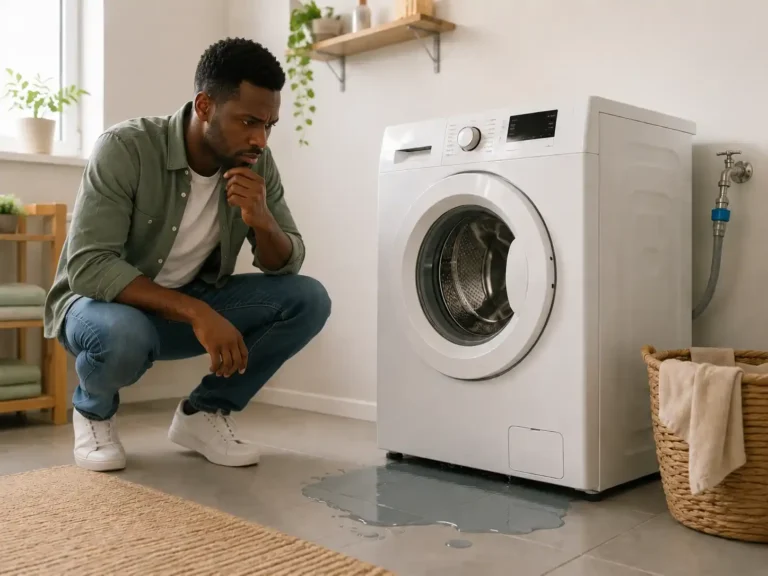
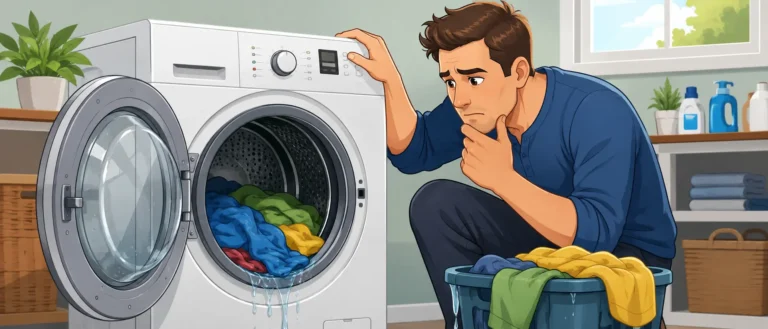
- Is water still inside? Do not force the door open. Water can remain below the visible part of the drum, so an empty-looking window does not prove the washer has drained.
- Which model do you have? Use the model number on your paperwork or rating label to find the correct instructions. For Bosch, match the full E-Nr., including its suffix.
These instructions concentrate on front-load washers. A top-loader’s lid lock or a washer-dryer combination may require a different procedure.
Before manual draining, switch off and unplug the washer, wait for the drum to stop and let hot water cool completely. Prepare towels and a shallow container. Do not bypass the door interlock or prise the latch open. Bosch
If the display is blank, start with washing machine won’t turn on before attempting a powered unlocking cycle.
How to Unlock a Bosch Washing Machine
If your Bosch washing machine door won’t open, first check the control panel. A child-lock symbol calls for a different check from a door that remains physically locked after draining.
Turn off the Bosch child lock
Bosch describes several control layouts. Use the method that matches your panel and manual:
- On supported models, hold the Start button for three to five seconds.
- On models using a two-button combination, hold rpm and Finished in together for about three seconds.
- On supported touch displays, hold the illuminated key control marked 3 sec for three seconds.
Wait for the child-lock indication to disappear, then check whether the controls respond. The Bosch child-lock guide shows these different arrangements. Bosch UK
Drain the washer before using an emergency release
Use the draining programme specified in your manual if water remains inside. If it cannot drain, follow the checks for a washing machine not draining and the filter-access instructions for your model.
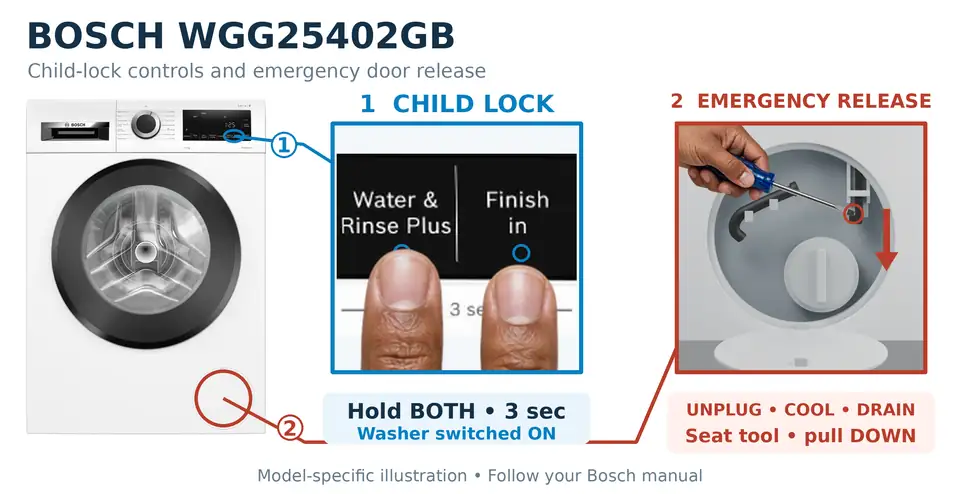
Bosch documents an emergency door release in the WGG25402GB manual, page 49, and the WGA14400UC manual, page 32.
For those documented releases:
- Switch off and unplug the washer. Wait until the drum has stopped and the water has cooled.
- Empty the drain pump using the manual’s draining procedure. Do not open the door while water remains.
- Identify the release from the drawing for your exact model.
- Pull the designated release down with a tool as shown, then let it go.
- Refit and close the service flap after opening the door. Bosch
Do not assume another Bosch washer has the same release or access arrangement. If the manual does not describe one, or the documented release fails, arrange a repair.
Samsung Washer Won’t Unlock: What to Check
Samsung front-load washers can retain the door lock because water remains inside, the cycle has not finished or Child Lock is active. Some older models lack the accessible pump filter and emergency drain hose described below.
Deactivate Child Lock fully
Find the two buttons identified by the Child Lock label or symbol on your control panel. Hold that combination for the duration stated in your manual.
On models with a temporary-off setting, hold the labelled combination until the icon flashes, then hold it again to turn Child Lock off completely. Restarting the washer does not clear this setting.
Use Samsung’s Child Lock instructions to distinguish temporary release from full deactivation. samsung.com
Samsung washer door locked after cycle
Work through these checks in order:
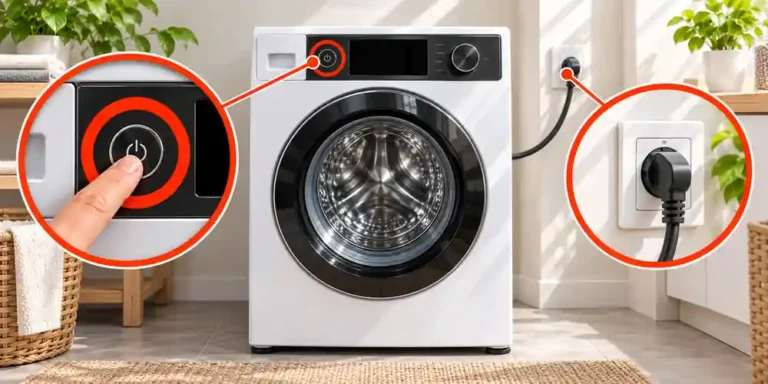
- Check the power. If the washer is switched off following a power interruption, turn it on and wait for the unlocking click.
- Check the cycle and indicator. Confirm the programme has ended and allow the door-lock light to go out. A paused cycle with water inside may keep the door locked.
- Drain retained water where the model supports it. Switch off, unplug and let the water cool. Locate the emergency drain hose beside the pump filter, then drain it into a suitable container. Empty the container as needed.
- Restore the caps before powering up. Secure the hose cap and any filter cap you removed, then close the access panel. Once the surrounding area is dry, reconnect power and turn the washer on again.
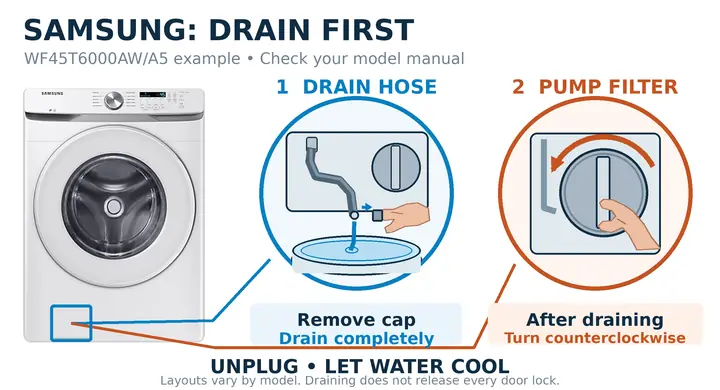
Samsung’s locked-door troubleshooting guide explains this sequence, while its pump-filter cleaning instructions show the draining arrangement. samsung.com
If the drum is drained and cool but the door still will not release, request service. The hose removes water; it is not a mechanical door-release cord.
LG Washing Machine Door Won’t Open: What to Check
An LG front-loader can keep its door locked while the drum is moving, water remains inside or the interior is hot. A door-lock switch fault is another possibility if those conditions have cleared.
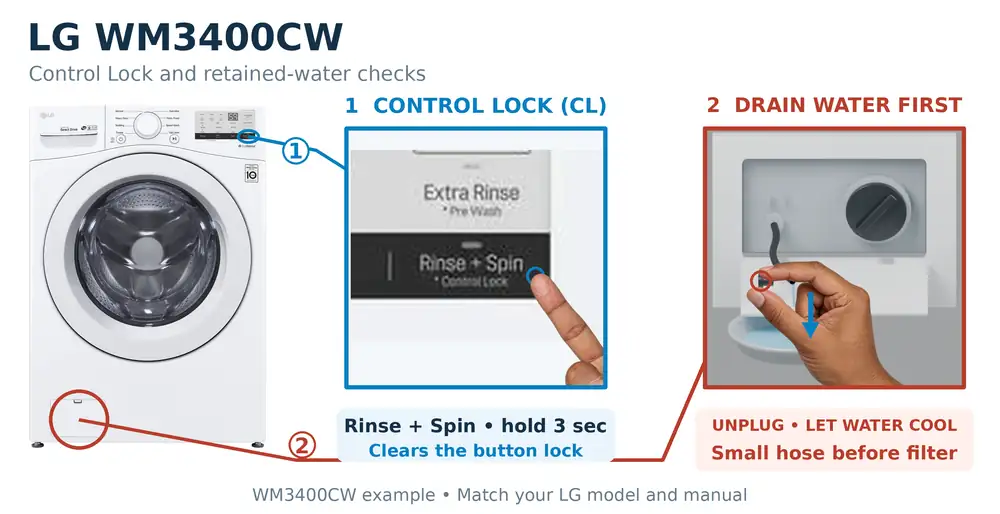
Clear CL if the controls will not respond
On LG washers, CL identifies Child Lock or Control Lock. It describes the button-lock setting rather than proving the door-lock mechanism has failed.
Use the controls marked for that function. Examples in LG’s child-lock guide include:
- Holding Temp + Rinse for three seconds on the illustrated two-button layout.
- Holding Spin for three seconds where Child Lock is printed beneath that button.
Other layouts use different controls. Turning the power off and on does not necessarily deactivate CL. LG USA Support
LG washing machine door not opening after a wash
- Allow hot water and the drum to cool. Do not force the handle during a hot or steam cycle.
- Run the model’s Spin Only programme if water remains. For the control layout covered by LG’s drain troubleshooting guide, turn the washer on, select High with Spin Speed, then press Start/Pause.
- Address a failed drain. An OE indication points to a drainage problem on the covered front-load models. Check an accessible drain hose for kinks before cleaning the drain pump filter.
- Drain before removing the filter. With power disconnected and water cool, use the small drain hose where fitted. Once empty, remove and clean the larger filter. Secure both caps, close the panel and reconnect power once the area is dry. Check whether the door-lock indicator clears.
LG’s illustrated arrangement has a lower-left service panel, with the small hose beside the larger filter. Confirm that your machine matches before opening anything. LG USA Support
Follow LG’s door-opening guidance if the door remains shut. Do not assume there is a pull cord behind the filter cover. LG USA Support
Whirlpool Washer Door Won’t Unlock: What to Check
For Whirlpool front-loaders, check both the control-lock setting and any option that continues tumbling after the main wash. A locked door at the end of the wash can be normal while those options remain active.
Check Control Lock and post-wash options
A LoC or LC display can identify Control Lock. Hold the button assigned to Control Lock for three seconds on the layouts covered by Whirlpool’s control guidance. It may share a button with another function.
On models with Fresh Hold, cancel that option to release the door. Where TumbleFresh is fitted, Whirlpool describes using Power to cancel it. Check the instructions for the option your washer actually has. Whirlpool
Whirlpool Duet washer door locked
Duet models have different panels. Match the procedure to the controls shown in your manual.
For the layout covered by Whirlpool’s door-opening guide, if the Add a Garment light is off, press Pause/Cancel twice. Allow up to five minutes for spinning and draining to stop before expecting the unlocking click.
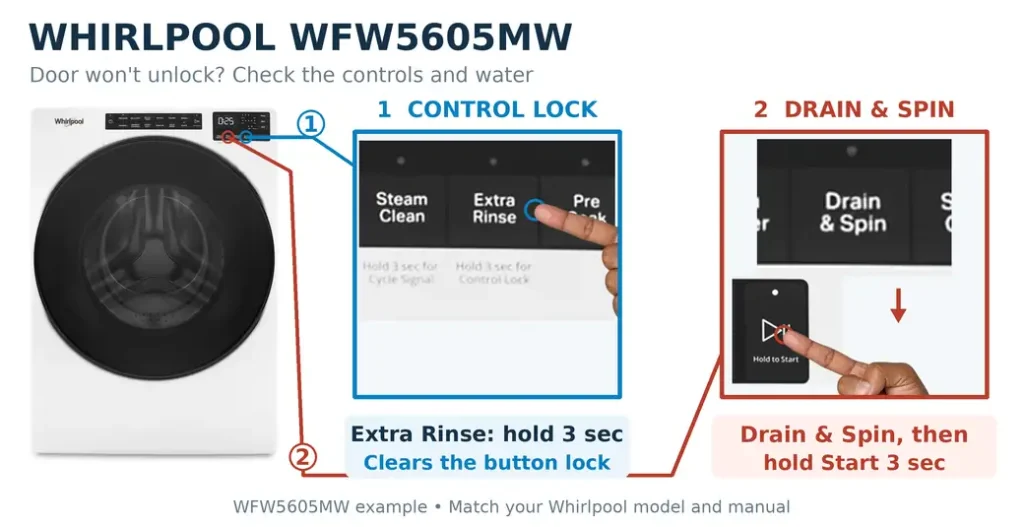
If a normal wash has ended and the door remains locked, Whirlpool’s end-of-cycle unlocking instructions describe disconnecting power for approximately two minutes, reconnecting, then running Drain & Spin.
F8 E1 or LO FL needs a different check. On the models covered by Whirlpool’s guidance, pressing Power starts a drain routine lasting around eight to ten minutes. The controls ignore further commands during that routine. Let it finish before trying again. Whirlpool
If the washer drains but the door stays locked, request service. Use a manual release only when your exact model’s owner instructions describe it.
Frequently Asked Questions About a Washer That Won’t Unlock
Does child lock always lock the washing-machine door?
No. Its behaviour depends on the model. LG describes CL as a control-panel lock. Samsung states that Child Lock also locks the door on many models, including front-loaders. Check the manual rather than treating every lock symbol as the same warning. LG USA Support
How long should I wait for the door to unlock?
Allow the delay stated in your manual, and wait until the drum has stopped, the water has drained and the interior is cool. Some Whirlpool pause-and-cancel procedures allow up to five minutes. A countdown reaching zero does not guarantee the door can open immediately.
Can unplugging the washer unlock it?
A manufacturer-approved restart can help in some cases, but it does not empty the drum or clear a blocked drain. Child-lock settings may survive a power interruption. Follow your brand’s procedure instead of repeatedly switching the socket off and on.
Is the emergency drain hose the same as an emergency door release?
No. The hose empties retained water. A separate mechanical release, where documented, operates the door lock. Do not pull a hose as though it were a release cable or assume every washer has both parts.
Why is water leaking after I cleaned the filter?
Stop the washer and check whether the drain hose cap and pump-filter cap were securely refitted. A damaged seal or another leak may need further attention. Use the checks in why is my washing machine leaking? before running another load.
What if the door opens but the clothes are still soaking wet?
Opening the door does not resolve a failed spin cycle. If the washer drains but leaves laundry unusually wet, follow washing machine not spinning to check the load and spin settings.
When should I arrange a repair?
Arrange service if the door remains locked after the drum has drained and cooled, the controls are usable and the documented unlocking steps have failed. A broken handle, damaged door latch or recurring lock fault needs diagnosis. Bosch UK
Record the full model number, any error code and the point where the cycle stopped. For the common checks across brands, see how to unlock a washing machine door safely.

One Comment
Comments are closed.