Washing Machine Won’t Turn On? Identify the Symptom First
Washing Machine Won’t Turn On? Identify the Symptom First
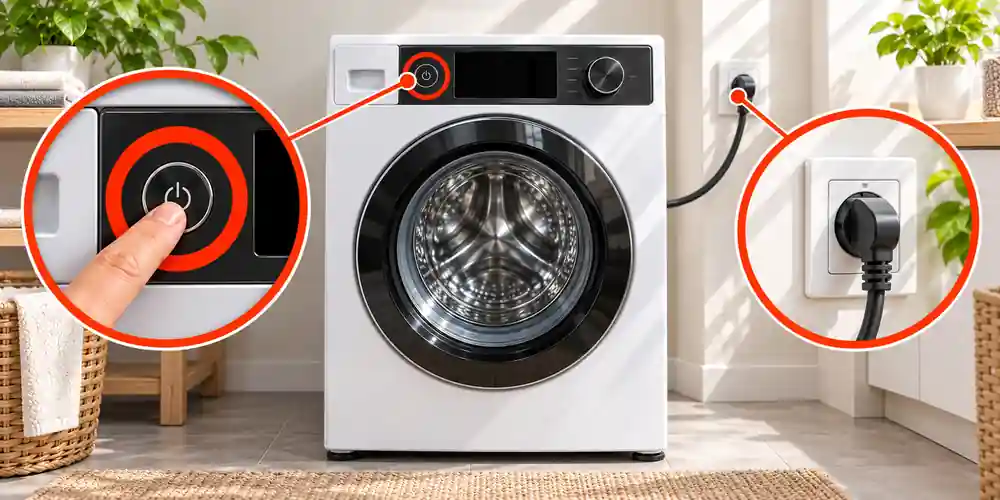
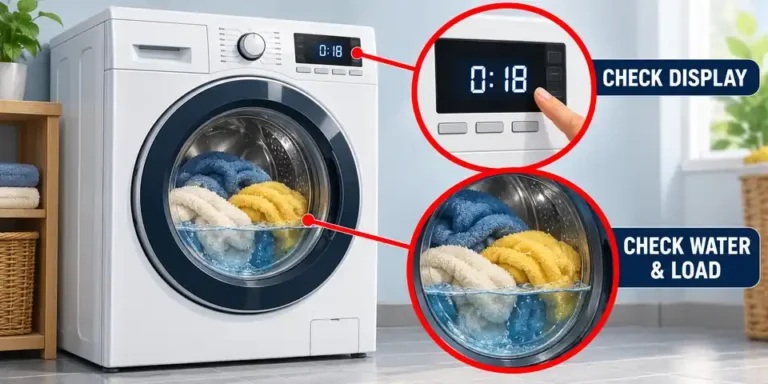
A washing machine with no lights or sounds has a different problem from one that powers up but refuses to begin a cycle. Check exactly what happens when you press the Power and Start/Pause buttons.
| What happens | Most likely area to check | Start here |
|---|---|---|
| No lights, display or sounds | Electrical supply | Wall socket, isolator switch, plug, fuse and circuit breaker |
| Display works but the cycle will not start | Door, controls or water supply | Door lock, Control Lock, Delay Start and water tap |
| You hear a click but nothing else happens | Door interlock or water inlet | Door closure, inlet hose and error code |
| The machine hums but does not fill | Water supply | Water tap, hose and inlet fault |
| The machine stopped during a cycle and is now dead | Power interruption or internal fault | Breaker, socket, signs of water or overheating |
Start with the row that matches your symptom. Stop once you find the fault rather than changing several things at the same time.
Safety Checks Before Troubleshooting
Switch the washing machine off at the wall and unplug it before inspecting the plug, cable or back of the appliance. Your hands and the surrounding floor must be dry.
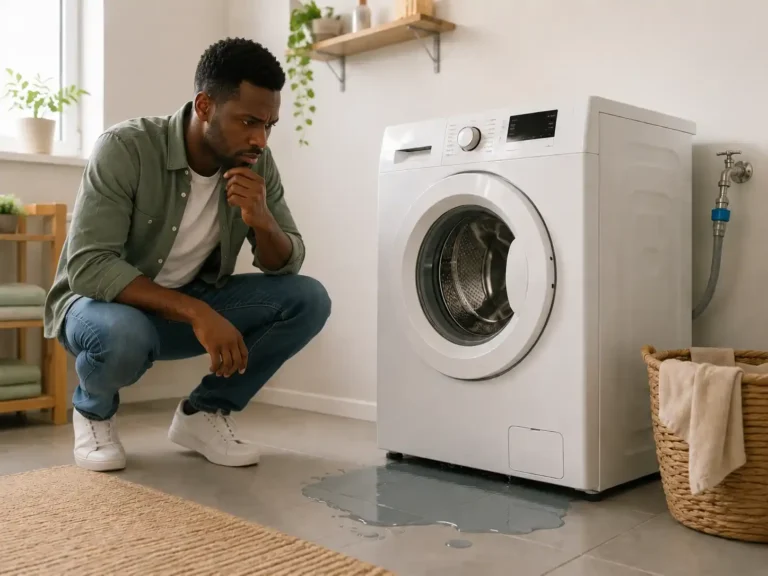
Do not touch the plug or socket if water has reached them. If it is safe to do so, isolate the circuit at the consumer unit and investigate why the washing machine is leaking before using it again.
Stop immediately if you notice:
- A burning or hot-plastic smell
- Scorch marks or melted plastic
- A hot, loose or crackling socket
- Sparks from the plug or appliance
- A fuse that blows again after replacement
- A breaker or RCD that trips repeatedly
- Water close to the plug, socket or internal wiring
Do not remove electrical panels, test live components or bypass the door lock. Those checks require an appliance engineer.
1. Test Whether the Wall Socket Has Power
Make sure the wall socket is switched on. If the washing machine is installed under a worktop, also look for a separate appliance isolator switch or fused connection unit above the worktop.
Unplug the washer and connect a small appliance that you know works, such as a lamp or phone charger.
- If the second device does not work, the problem is probably with the socket, isolator or household circuit.
- If it works normally, reconnect the washing machine and continue with the next check.
- If the socket feels loose, becomes warm or works intermittently, stop using it and contact an electrician.
The washing machine should be connected directly to a suitable wall socket. Do not run it through an extension lead, multi-plug or travel adaptor.
If the machine has recently been moved, confirm that the plug is fully inserted and the cable has not become trapped behind the cabinet.
2. Inspect the Plug, Power Cable and Fuse
Switch off the socket and remove the plug. Check the plug and the full visible length of the cable for:
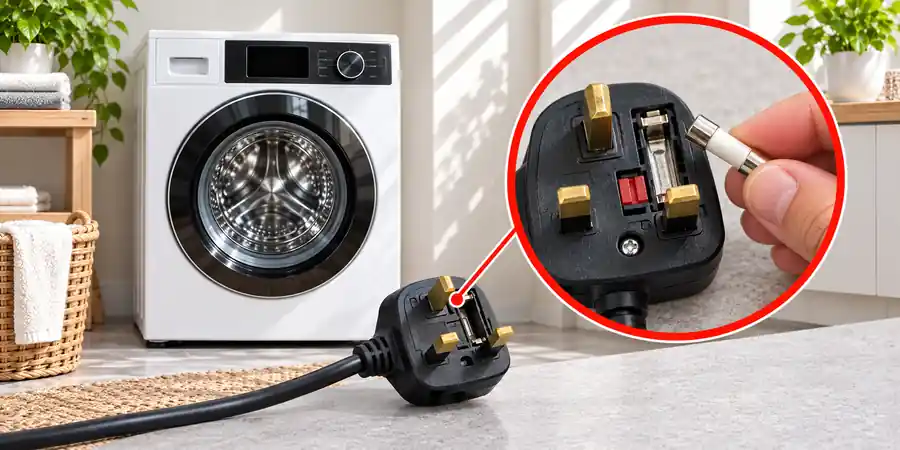
- Cuts, crushing or exposed wires
- Cracked or melted plastic
- Dark marks around the pins
- A loose cable connection
- Damage caused by the machine resting on the cable
Do not cover a damaged cable with insulating tape. The cable or plug should be replaced with an approved part by a competent person.
Check the plug fuse in the UK
A blown plug fuse can leave the washing machine completely dead. If the plug has a replaceable fuse and you are comfortable checking it, fit only the rating stated on the plug or in the appliance manual. UK washing machines commonly use a 13-amp fuse, but the manufacturer’s specification takes priority.
Replace the fuse once. If the new fuse blows, do not fit another one or try a larger rating. A second failure points to a fault in the appliance, cable or electrical supply.
In countries where appliance plugs do not contain replaceable fuses, continue to the circuit-breaker check.
3. Check the Circuit Breaker or RCD
Look at the consumer unit for a tripped miniature circuit breaker, commonly marked MCB, or residual current device, marked RCD.
Unplug the washing machine before resetting the affected switch. Reset it once, using dry hands and only if the consumer unit is safe and accessible.
The result helps narrow down the fault:
- If the breaker stays on while the washer is unplugged but trips when the washer is connected, the appliance may have an electrical fault.
- If it trips while the washer remains unplugged, the household circuit needs attention from an electrician.
- If several sockets or appliances have stopped working, the problem is unlikely to be limited to the washing machine.
- If the breaker trips again, leave it off and arrange a professional inspection.
Repeatedly resetting a breaker is unsafe because it can hide a continuing electrical fault.
4. Reset the Washing Machine
A power cut, voltage interruption or control-panel error can leave the washer unresponsive even after electricity has returned.
Try this reset:
- Turn the programme selector to Off, if fitted.
- Switch the appliance off at the wall.
- Unplug it for five minutes.
- Reconnect it directly to the wall socket.
- Close the door firmly.
- Press the Power button.
- Select a programme and press or hold Start/Pause as instructed in the manual.
Some machines respond to a quick press, while certain models require the Power or Start button to be held for several seconds. Use the instructions for your exact model rather than trying random button combinations.
A reset may clear a temporary control error. It will not repair a damaged cable, door interlock, power board or other failed component. If the same problem returns, further diagnosis is needed.
5. Make Sure the Door or Lid Can Lock
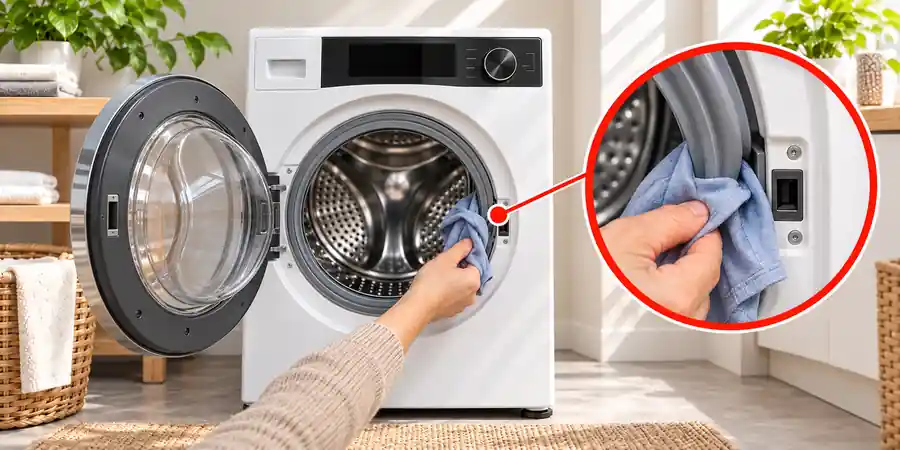
Most washing machines will not start unless the control board receives confirmation that the door or lid is securely locked.
For a front-loading washer:
- Remove clothing trapped between the door and rubber seal.
- Reduce an tightly packed or oversized load.
- Check the latch for detergent residue or visible damage.
- Close the door firmly without slamming it.
- Listen for a click after pressing Start.
For a top-loading washer:
- Check that the lid closes completely.
- Remove anything obstructing the latch.
- Inspect the hinge and latch for visible damage.
- Do not press or bypass the lid switch manually.
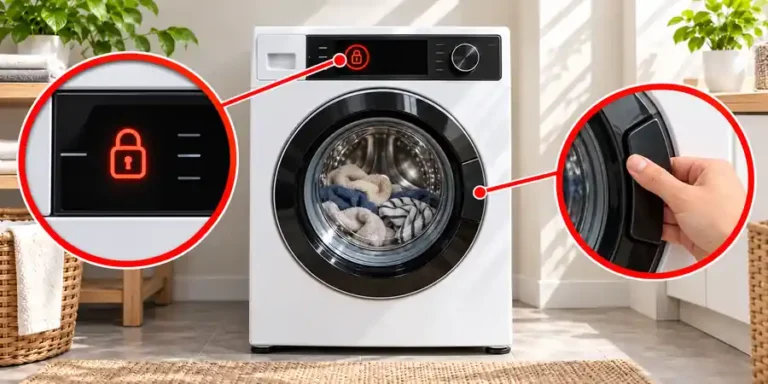
If the display works but the lock symbol never appears, the door interlock, latch or associated wiring may be faulty.
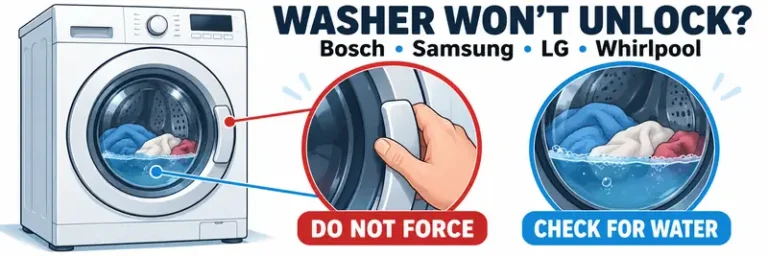
A door can also remain locked when water is trapped inside the drum. In that situation, follow the checks for a washing machine that is not draining before forcing the door.
6. Turn Off Control Lock and Delay Start
Control Lock, Child Lock or a delayed programme can make a working washing machine appear unresponsive.
Look for:
- A padlock or key symbol
- “CL” or a similar control-lock message
- A clock or delayed-finish time
- Buttons that beep but do not respond
- A countdown on the display
The unlocking method differs between brands and models. It may require holding one button or two marked buttons for several seconds. Use the symbols printed on the control panel or check the user manual.
Cancel Delay Start if a future start time has been selected. Then choose a new programme and press Start/Pause.
Wipe moisture from touch-sensitive controls with a dry cloth. Wet controls, detergent residue or gloves can prevent a capacitive panel from recognising your finger.
Also check that the programme dial is positioned correctly rather than resting between two settings.
7. Check the Water Supply and Wash Programme
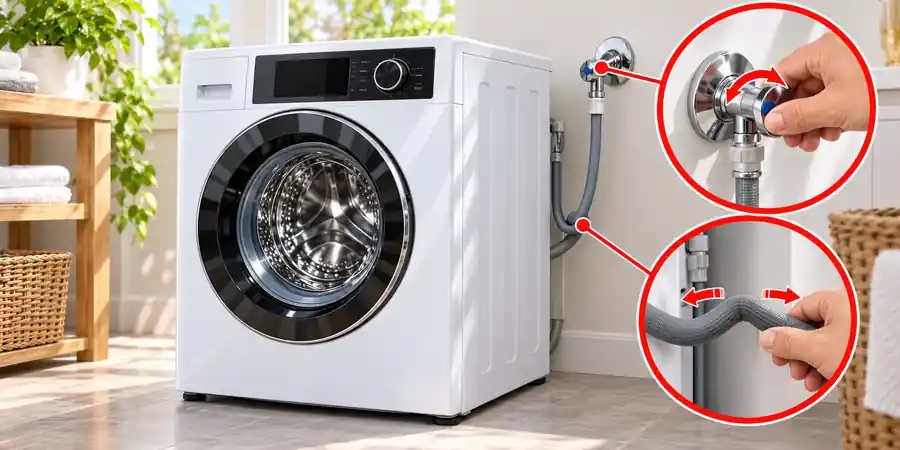
A washer can have power but refuse to begin because it cannot detect an adequate water supply.
Check that:
- The water-supply tap is fully open.
- The inlet hose is not kinked, crushed or frozen.
- The hose has not been trapped behind the appliance.
- Other cold-water taps in the property have normal pressure.
- The selected programme is suitable for the load.
- The drum is not overloaded.
- Start/Pause has been pressed after selecting the programme.
If the machine clicks or hums without filling, turn it off rather than leaving the inlet valve energised. Recheck the tap and hose, then look for an inlet-related error code.
Some appliances briefly drain before taking in fresh water. A short pump sound at the beginning of the programme can therefore be normal. Continuous pumping, an error code or no water entering the drum indicates a fault that needs further investigation.
8. Read the Error Code or Flashing Lights
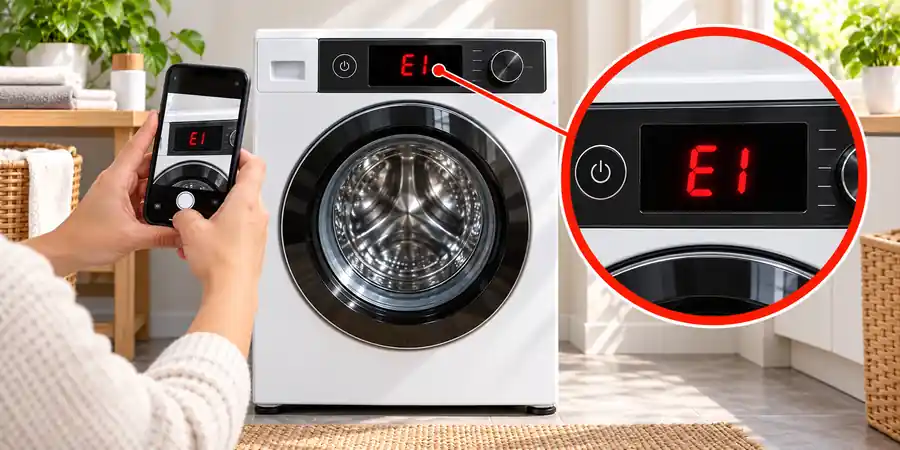
Do not reset the washer immediately if it displays a code. Photograph or write down the code first because it identifies the system that stopped the programme.
Search for the complete code in the manual for your exact model number. The same letters or numbers can have different meanings across manufacturers.
Older machines without a digital display may communicate faults through a sequence of flashing lights. Record which lights flash and count the pattern before switching the power off.
Common fault groups include:
- Door or lid not locked
- Water not entering
- Water not draining
- An unbalanced load
- Motor or drum movement problems
- Power-supply or communication errors
If the washer fills and drains but the drum will not turn correctly, use the separate guide for a washing machine that is not spinning.
When a code returns after its basic external checks have been completed, arrange a repair rather than repeatedly clearing it.
9. Recognise When an Internal Fault Is Likely
An internal fault becomes more likely when:
- The wall socket works with another device.
- The plug, cable and fuse appear sound.
- The circuit breaker remains on.
- A power reset makes no difference.
- The washing machine still has no display, lights or sounds.
Possible causes include the mains interference filter, internal wiring, door interlock, control-panel board, main power board or an internal protective component. These parts cannot be identified reliably from the external symptom alone.
For example, a failed control board and a broken internal power connection can both leave the machine completely dead. Ordering parts before electrical testing can therefore waste money and may introduce another safety risk.
Do not remove the casing to inspect these components unless you are trained and equipped to work on appliances. Disconnecting the machine does not guarantee that every internal component is immediately safe to touch.
Check the warranty before arranging an independent repair. Removing covers or fitting unauthorised parts may affect the manufacturer’s warranty.
Washing Machine Has Power but Won’t Start a Cycle
If the display and indicator lights work, the plug fuse and wall socket are unlikely to be the main problem. Work through these checks in order:
- Cancel Control Lock or Child Lock.
- Cancel Delay Start.
- Close the door or lid until it latches.
- Remove anything trapped in the door seal.
- Reduce an overloaded drum.
- Open the water-supply tap fully.
- Select the programme again.
- Press or hold Start/Pause as stated in the manual.
- Record any error code or flashing-light pattern.
A machine that powers up but will not start commonly has a door-lock, control-setting or water-inlet problem rather than a complete loss of electricity.
If the lock symbol does not appear, the door interlock may have failed. If the door locks but no water enters, focus on the water supply and inlet system. If every button remains unresponsive after Control Lock has been cancelled, the control panel may require repair.
What the Sound After Pressing Start Can Tell You
Listen for a few seconds after pressing Start. The response can help identify the stage at which the programme stops.
No sound, lights or display
Check the wall socket, isolator, plug fuse, cable and circuit breaker. If all external power checks pass, an internal power-supply fault becomes more likely.
One click and then silence
The door may be attempting to lock. Open it, check for trapped clothing and close it again. A repeated failure to show the lock symbol can indicate a latch or interlock problem.
A hum with no water entering
Confirm that the water tap is open and the inlet hose is not kinked. Turn the machine off if the humming continues without filling.
Pumping without starting the wash
The machine may be trying to remove leftover water or reacting to a water-level fault. Check for a displayed code and inspect the drain setup using the manufacturer’s instructions.
Repeated clicking or intermittent power
Stop using the appliance, particularly if the display flickers or the response changes when the cable moves. A loose electrical connection requires professional attention.
Should You Call an Electrician or an Appliance Engineer?
The correct professional depends on where the fault appears to be.
| Call an electrician when | Call an appliance engineer when |
|---|---|
| The wall socket is dead | The socket works but the washer remains dead |
| The socket is hot, loose, scorched or crackling | The machine repeatedly trips the breaker |
| Several outlets on the same circuit have failed | The power cable or appliance plug is damaged |
| The breaker trips with the washer unplugged | The door will not lock despite closing correctly |
| A fixed isolator or household wiring appears faulty | An error code returns after the stated checks |
| You are uncertain about the consumer unit | The control panel, pump, motor or power board may have failed |
If there is smoke, sparking, a burning smell or water around electrical parts, isolate the supply only if you can do so safely. Do not reconnect the appliance to test it again.
Before Booking a Washing Machine Repair
Collecting a few details can prevent delays and help the engineer bring suitable parts:
- The complete model and serial number
- Whether the machine is completely dead or has working lights
- Any error code or flashing-light pattern
- Whether the door locks
- Whether water enters or drains
- Whether the breaker or plug fuse has operated
- What happened immediately before the fault
- The checks you have already completed
- Photographs of any visible damage
The model label is commonly found around the door opening, behind the door, on the rear panel or beneath the lid. Do not pull out a heavy built-in appliance merely to find the label.
Frequently Asked Questions
Why is my washing machine completely dead?
Start with the wall socket, appliance isolator, plug, cable, fuse and circuit breaker. If another device works in the same socket and the washer remains completely unresponsive after a reset, it may have an internal power-supply or control-board fault.
Can a blown plug fuse stop a washing machine from turning on?
Yes. On a UK plug, a blown fuse interrupts the electricity supply and can leave the appliance with no lights or display. Replace it only with the correct rating. If the replacement blows, stop using the washer and arrange an inspection.
Why does my washing machine turn on but not start?
Check the door or lid, Control Lock, Delay Start, water tap, load size and selected programme. Also confirm whether the Start/Pause button must be held rather than pressed briefly.
How do I reset a washing machine that will not turn on?
Switch it off, unplug it for five minutes, reconnect it directly to the wall socket and try again. The correct reset procedure may vary, so check the manual for your model. Do not continue resetting a machine that trips the electrical supply.
Can a faulty door lock stop the washing machine from starting?
Yes. The control system normally requires confirmation that the door or lid is locked before allowing the programme to run. A broken latch, trapped clothing or failed interlock can prevent that confirmation.
Is it safe to keep resetting a tripped breaker?
No. Reset it only once after unplugging the washer. If the breaker trips again when the appliance is reconnected, leave the washer unplugged and have the fault investigated.
Why did the washing machine stop working after a power cut?
The programme or control board may not have restarted correctly, or the household breaker may have tripped. Check the consumer unit and perform one power reset. If the machine remains dead despite a working socket, it may require professional diagnosis.

3 Comments
Comments are closed.