Washing Machine Stops Mid-Cycle? Causes and Safe Fixes
If your washing machine stops mid cycle, it may have lost power, struggled to fill or drain, or detected an uneven load. A brief pause can be normal. Check the cycle stage and any error code before following the safe troubleshooting steps below.
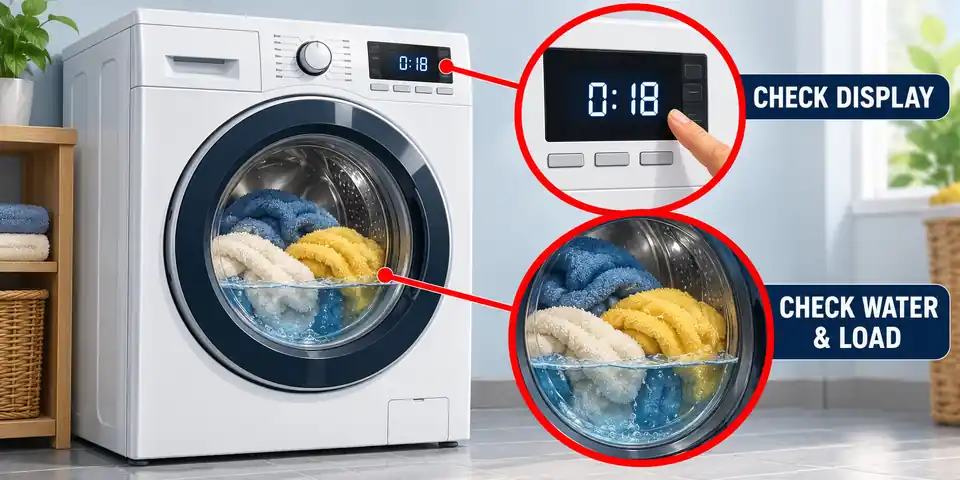
Washing Machine Stops Mid Cycle: Find Where the Cycle Stops
When your washing machine stops mid cycle, note what it was doing before changing any settings. A washer that loses power needs different checks from one that stays on but cannot drain or spin.
Take a photo of the error code and remaining time. If there is no display, record any flashing lights or repeated beeps. Check whether someone pressed Pause or selected an option that holds the laundry in water.
| What happens | First check |
|---|---|
| Display goes dark and controls stop responding | Electricity supply |
| Washer waits for water or stops during filling | Supply taps and inlet hoses |
| Water remains when the cycle should drain | Drain hose and accessible pump filter |
| Drum turns slowly but does not reach spin speed | Load balance and spin settings |
| Foam remains and rinses keep repeating | Detergent type and dose |
| Door or lid message appears | Closing area and model-specific instructions |
Water in the drum is normal during washing and rinsing. It suggests a drainage problem only when the machine should be emptying. A countdown that stays on one number briefly also does not prove that the timer is faulty.
Stop using the washer if you notice smoke, a burning smell, scorching, damaged wiring, repeated electrical trips or water near electrical connections. Do not touch a wet plug or socket. Have the problem checked before restarting. www.electricalsafetyfirst.org.uk
Is the Washing Machine Pausing Normally?
A washer may pause while sensing the load, soaking laundry, heating water or preparing for the next stage. The drum does not need to turn continuously for the programme to be working. producthelp.whirlpool.com
Listen for filling or pumping and watch for occasional drum movement. The displayed time is often an estimate: water pressure, load balance and extra rinsing can change the finish time. www.samsung.com
Check the selected programme options. Rinse Hold, where fitted, can retain the final rinse water and prevent the final spin until you end that option using the machine’s instructions.
If the cycle resumes and finishes, the pause may have been normal. A repeated stop at the same stage, an error message or failure to finish needs further checking. There is no universal waiting time that separates a normal pause from a fault on every washer.
Washing Machine Stops Mid Cycle With No Power
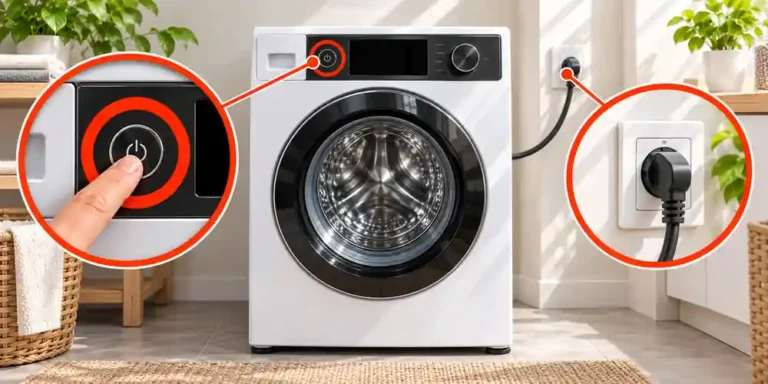
Start with the electricity supply if the display goes dark and the controls become unresponsive. Check whether other parts of the home have also lost power.
If the plug, socket and floor are dry and safely accessible, check that the plug is seated and any wall switch is on. Do not drag the appliance by its cable or stretch the hoses to reach behind it.
Check for a tripped circuit breaker, RCD or GFCI. These protective devices differ between installations. If protection trips again when the washer operates, stop using it and arrange an inspection rather than repeatedly resetting it.
Do not use an extension lead to get around a damaged socket or connection. The supply must meet the appliance’s installation requirements.
If household power is available but the washer remains unresponsive, follow our guide to a washing machine that won’t turn on.
A machine that works after cooling down but stops again still needs diagnosis. That pattern alone does not identify a failed motor, control board or other component.
Check the Water Supply if the Washer Stops While Filling
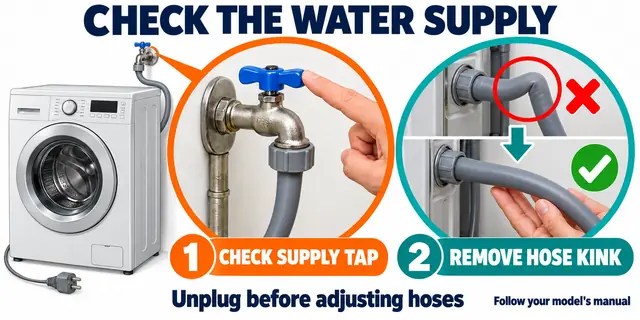
The washer may be waiting for water needed for the next part of the cycle. This can happen during the initial fill or when rinsing requires fresh water.
Check the external supply before assuming the inlet valve has failed:
- Make sure the required water supply tap is open. A model with separate hot and cold connections may need both supplies.
- Check another household tap for a water outage. Water flowing there does not prove that pressure at the washer meets its requirements.
- Inspect accessible inlet hoses for crushing or sharp bends. Switch off and unplug before adjusting a hose.
- Consult the manual before cleaning inlet screens. Shut off the water supply before disconnecting an inlet hose.
Some screens are not intended to be pulled out. Do not force a screen loose or operate the washer without a required filter. Arrange help if reaching the connections means moving a heavy appliance.
Beko’s guidance on a washing machine stopping mid-cycle includes insufficient water supply and restricted inlet filters among the checks for its machines. www.beko.co.uk
If the supply and accessible connections appear correct but the filling error returns, the appliance needs further diagnosis.
Washing Machine Stops Mid Cycle Full of Water
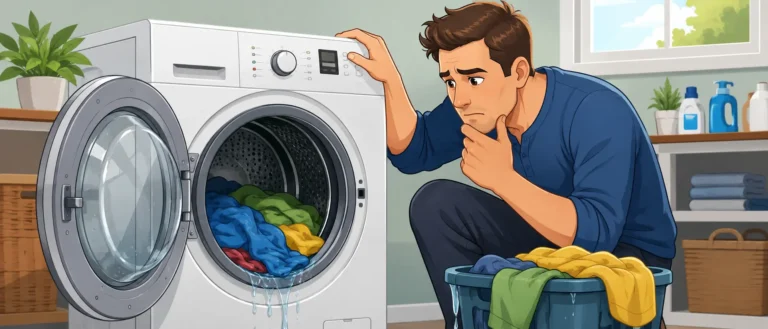
If your washing machine stops mid cycle with water inside, first check whether it has reached a stage where that water should drain. A pause during washing is different from a washer that cannot empty before rinsing or spinning.
Follow the manual’s instructions for selecting Drain or the equivalent programme. Some machines combine drainage with spinning. Record any drainage code before cancelling the cycle.
Inspect the visible drain hose for a kink or a section crushed behind the washer. If the appliance was recently installed or moved, compare the hose position with its installation instructions. Drain-hose height and placement vary; lowering the hose to the floor is not a general fix.
Empty the Water Before Removing an Accessible Pump Filter
Find the model’s manual-drainage procedure. Some machines have an emergency drain hose and a removable pump filter. Others do not have the same owner-accessible arrangement.
- Switch off and unplug if the electrical connection is dry and safe to reach.
- Let hot wash water cool.
- Protect the floor with towels and prepare a shallow container.
- Use the emergency drain hose or controlled drainage method described in the manual. Empty the container as needed.
- Once the water has drained, remove and clean only a filter identified as user-accessible.
- Refit the filter and any drain-hose stopper securely before testing.
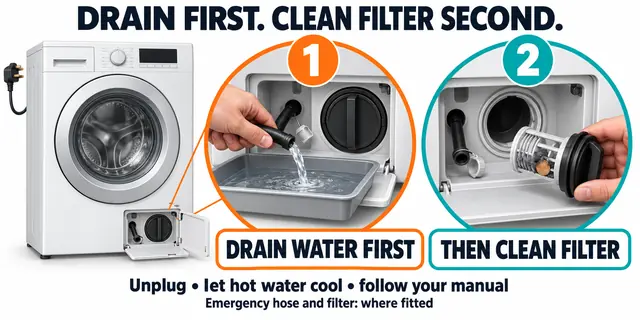
Do not fully unscrew a filter while the drum is full. If the cap will not turn normally, do not force it with tools. www.beko.co.uk
See washing machine not draining for the drainage checks. If water escapes onto the floor, use our guide to why a washing machine is leaking before running another wash.
Why the Washing Machine Stops During Rinsing
Rinsing requires used wash water to leave and fresh water to enter. Watch that changeover to narrow down the next check.
- The old water stays in the drum: Check drainage.
- The drum empties but does not refill: Check the supply taps, inlet hoses and any filling message.
- Rinse Hold is selected: Follow the instructions for ending that option.
- Foam remains and rinsing repeats: Check detergent type and dose.
If filling and draining appear normal, record exactly when the programme stops. A rinse-stage interruption does not by itself prove that the inlet valve or water-level sensor is defective.
For a repair appointment, note the programme name, error code and whether the used water drained before the stop. These observations help a technician investigate the fault.
Check the Load if the Washer Stops Before Spinning
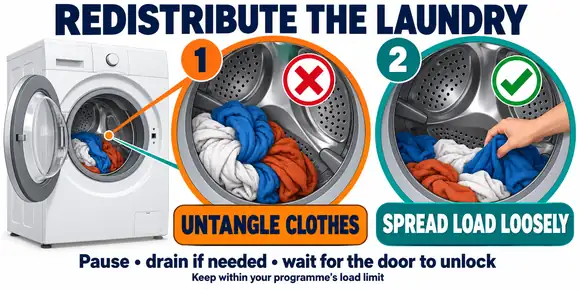
Many washers turn the drum slowly to distribute laundry before increasing the spin speed. Repeated slow turns, starts and stops can mean the machine is trying to balance the load.
A single heavy wet item may collect on one side. An overloaded drum or tangled bundle can also make balancing difficult.
To adjust the load:
- Pause the programme and wait for the door or lid to release normally.
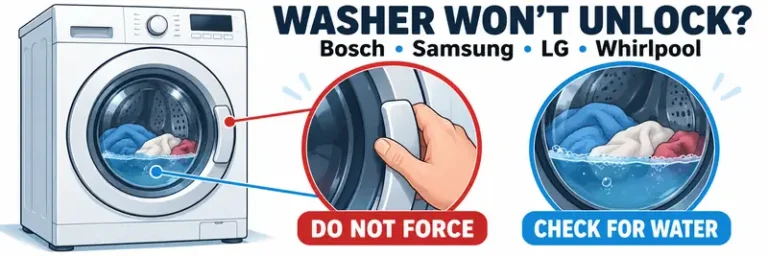
- Drain first if needed, following the manual. Do not open a front-loading door with water behind it.
- Separate tangled items and distribute the laundry more evenly.
- Remove excess items if the load exceeds the capacity for that programme.
- Select a cycle suitable for the fabric and load, then resume as instructed.
Follow the manufacturer’s loading advice for blankets, bathmats and other bulky items. Adding extra laundry is not a universal solution and may overload the programme. www.samsung.com
Check that the washer stands firmly without rocking. Severe vibration on a newly installed machine warrants an installation check, including any transport restraints specified in its manual. support.electrolux.co.uk
If water remains when it should have drained, address that first. For a washer that empties but cannot complete its spin, read washing machine not spinning.
Check the Door or Lid if a Closing Error Appears
Front-loading washers use a door interlock. Top-loading machines may have a lid switch, a locking mechanism or both. Their rules for starting and continuing a programme vary.
For example, Whirlpool explains that some high-efficiency top loaders can fill with the lid open but will not advance. Other models require the lid to be closed before filling. Samsung lists door-closing information codes for the models covered by its guidance. Check your exact model rather than assuming every washer uses the same symbol or release sequence. producthelp.whirlpool.com
After pausing and allowing the lock to release safely, inspect the visible catch and closing area. Remove trapped fabric or loose lint and look for obvious damage. Close the door or lid normally.
Do not slam the door, force the catch or bypass a safety switch. A closing error that returns after these checks needs repair.
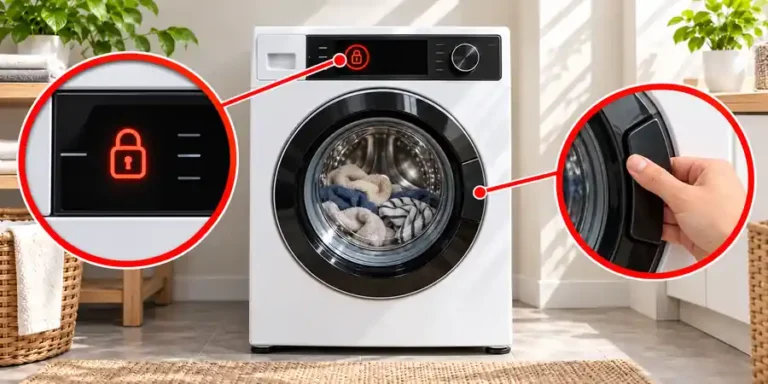
A child lock or control lock usually disables controls; it is different from the physical door interlock. If the door stays shut, follow how to unlock a washing machine door safely.
Too Much Detergent Can Interrupt or Extend the Cycle
Excess suds can make some washers pause, add rinses or reduce spinning. The machine may take longer to finish while clearing the foam. producthelp.whirlpool.com
Use the detergent type specified for the appliance. A washer requiring HE detergent needs a product intended for high-efficiency washing.
Measure the dose using the detergent label and appliance instructions. Account for load size, product concentration, soiling and water hardness. Do not assume a full cap is the correct amount for every wash. producthelp.whirlpool.com
If a suds-removal routine is running, follow the manual and let it finish. Do not add another dose. Run an extra rinse without detergent only where the instructions recommend it.
Avoid household chemicals as a shortcut. Persistent foaming with the correct product and dose needs further investigation, particularly if drainage is also slow.
Read the Error Code Before Resetting the Washing Machine
Write down every letter and number. Similar codes can mean different things across brands and models, so use the code list for the appliance’s model number.
These examples apply to the Samsung models covered by its guidance:
| Information code | What it can indicate |
|---|---|
| 4C or 4E | Water is not being supplied correctly |
| 5C or 5E | Water is not draining |
| Ub or UE | A load-balance problem affecting spin |
| dC or dE | A door-closing issue on the covered models |
Consult Samsung’s official washing-machine information-code guide alongside your model’s manual. Do not apply Samsung code meanings to another manufacturer. www.samsung.com
On a machine without a digital display, record the flashing-light pattern and repeated beeps. Note the original symptom before changing several settings or disconnecting the power.
How to Restart the Washer After an Interrupted Cycle
Restart only after completing the relevant checks and confirming that there is no leak or electrical concern.
- Save the error code or display photo.
- Correct the observed issue, such as a restricted supply, accessible blockage, uneven load or fabric caught in the closing area.
- Follow the manual’s method for resuming, cancelling or resetting the programme.
- Choose the appropriate next step. Water may need to drain before another programme can begin.
- Stay nearby while checking whether the machine completes the affected stage.
Reset buttons and waiting times vary. There is no button combination or unplugging interval that works for every washing machine.
A restart may clear a temporary control problem, but it cannot remove a blockage or repair a damaged part. If your washing machine stops mid cycle again after the relevant checks, arrange further diagnosis instead of repeatedly restarting it.
When the Washer Needs Professional Repair
Arrange a repair if the machine repeatedly stops after the owner-accessible checks, cannot finish draining or continues to show the same fault code.
For electrical trips, burning smells, damaged connections or water near electrics, stop using it. Do not remove the cabinet or test live components.
An internal fault may involve the pump, inlet valve, door interlock, motor, heating system, water-level system or electronic controls. These possibilities require appropriate testing. The point where the wash stops is not enough to identify which part needs replacing.
Have the model number, programme name, error code and observations ready. Include whether water remained and which checks you completed. If the appliance is under warranty, contact the manufacturer before dismantling it or ordering parts.
Frequently Asked Questions
Why does my washing machine stop mid cycle without an error code?
It may be pausing normally, waiting for water, draining slowly or trying to balance the laundry. Check whether the controls still have power and record the cycle stage. A fault can still be present without a displayed code.
Why does my washer stop with a few minutes remaining?
The finish time may change while the washer balances the load or clears foam. Check for slow redistribution attempts, retained water or a suds message. A countdown that changes slowly does not by itself identify a faulty timer.
Why does my washing machine stop mid cycle full of water?
If the washer should be draining, a restriction or drainage fault may prevent it from continuing. Rinse Hold can also retain water intentionally on models with that option. Follow the manual’s drainage procedure before trying to open a front-loading door.
Can I open the door after the washer stops?
Only when the lock releases normally and opening is safe. The washer may still contain hot water or a moving drum. Follow its pause or cancellation instructions and drain first where required. Never force the door.
Should I start the whole wash again?
Resolve the cause before restarting. Depending on the stopped stage, the next step may be draining, rinsing, spinning or resuming the existing programme. Follow the model’s instructions rather than automatically starting another full wash.
Does stopping mid cycle mean the control board has failed?
No. Restricted water supply, slow drainage, an uneven load or a door-closing problem can interrupt a cycle. A control-board fault needs diagnosis after the relevant operating and external checks.
Why does the washing machine beep and stop?
A beep may accompany a pause, an information message or a fault. Read the display or record the repeating sound and light pattern, then check the manual. Beep counts do not have one meaning across all brands.

One Comment
Comments are closed.